Coaster Wrench

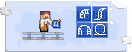
Coaster Wrench is the tool that lets you access the settings of blocks and cars. If a block has options, the wrench is how you reach them.
Blocks that work with it have a small wrench icon on their guidebook page.
What it opens
The menu you get depends on the block you click. The first four all hold a signal key — the name a signal travels under.

Station Rail
Its signal key.

Switch Rail
Its signal key.

Entry Gate
Its signal key.

Technical Light
Its signal key.

Coaster Rail
Its mode: Basic, Brake, Boost or Chain Lift.

Signal Converter
Receiver or Emitter mode, and its key.

Track Controller
Which rail mode to apply, how strong, and how far.

Target Stand
Reboot delay and redstone pulse options.

Animatronic Stand
The animation picker.

VFX Emitter
Particle settings.

SFX Emitter
Sound settings.

Coaster Car
Remove the car, or add and remove visitors.

Coaster Anchor
Links two anchors into a curve, or opens the anchor menu.
That anchor menu belongs to Pro Rails, the second track system.
Recipe


Doing many blocks at once
When editing Coaster Rail blocks, crouch + use the wrench to start an area selection, then interact again to confirm it. Every Coaster Rail block in the area gets the same setting.